
Assignments
How to create an assignment record
To create an assignment record, go to Soldiers (Admin Panel > MILHQ > Soldiers) and click on the Quick Actions button and select new Assignment.
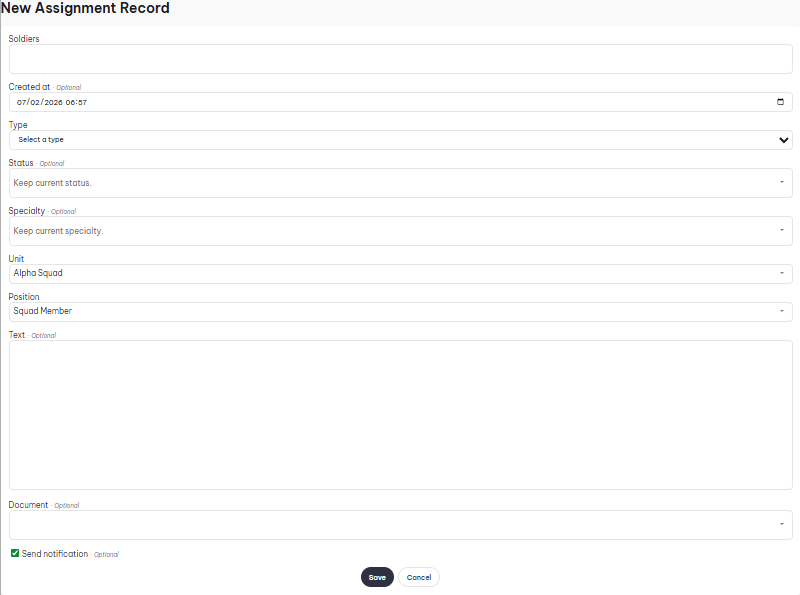
- Soldiers: Here you can select an individual soldier or multiple.
- Created At: Date of record.
- Type: Whether it's a primary or secondary assignment.
- Status: The new status for the soldier, select "Keep current status" if you don't want to change it.
- Specialty: The new specialty for the soldier, select "Keep current specialty" if you don't want to change it.
- Unit: The soldier's new unit.
- Position: The soldier's position within their new unit.
- Text: If you want to supply a custom message which is displayed on the p-file.
- Document: Attach a document to the record.