
Enlistment
Enlistment Setup
To set up Enlistments, head over to the Admin Panel > MILHQ > Configuration
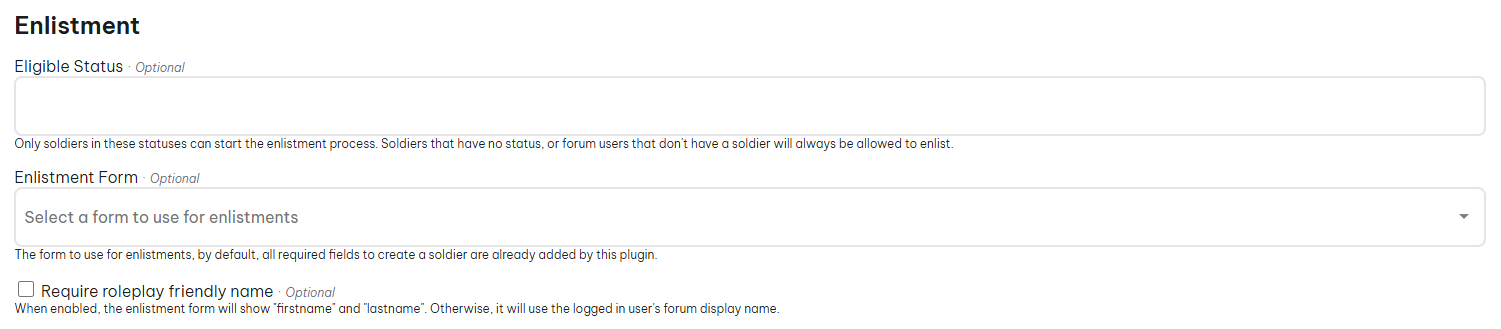
On this page you can modify the plugin's behaviour when it comes to enlistments and if it should automatically post the enlistment in a forum or assign a default role if you want to make your enlistments forum only visible to enlistees and recruiters.
To create an enlistment form, see the form documentation.
When a user creates an enlistment, a submission will be made (Admin Panel > MILHQ > Submissions > "Your Enlistment Form Name"). From there the enlistment can be accepted or denied.
Enlistment Flow
The enlistment flow is a breakdown of the enlistment process for admins to understand.
- When a forumify user submits an enlistment application through the MILHQ > Enlist menu, a soldier is automatically created.
- Admins then head to Admin Panel > MILHQ > Submissions and action the application (Accept/Deny).
- Admins then need to create an assignment record for the new soldier by heading to Admin Panel > MILHQ > Soldiers and clicking on Quick Actions > New Assignment
- Select the new soldier in the users field and fill out the rest of the fields.
- Once submitted, the new soldier is officially a member of the unit.
Only forumify users who do not have a soldier or their soldier's status has been selected as an enlistment status are eligible to enlist.