
Premium Feature
Reporting In
Reporting In is a great way to gauge activity within your unit.
Setup
To set up reporting in, head over to Admin Panel > MILHQ > Configuration and click on the Report In tab.
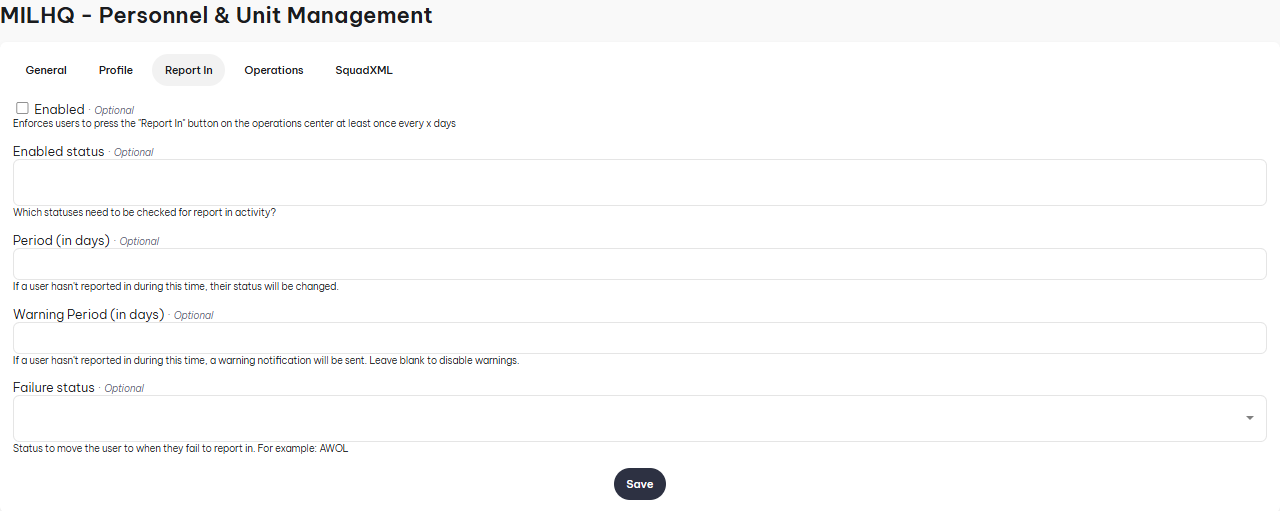
- Enabled: By default, the feature is disabled. Ticking it will enable it.
- Enabled Status: Select which statuses are checked for report in activity.
- Period (In Days): Input how many days it takes before a soldier's status gets changed.
- Warning Period (In Days): Input how many days of not reporting in until the soldier receives a warning notification
- Failure Status: If a soldier fails to report in, this will be the status they receive.
How to report in
To report in, head over to the Operations Center and click on the Button.