
Forms
Create a form
To create a form, head over to Admin Panel > MILHQ > Organization > Forms, click on the + button.
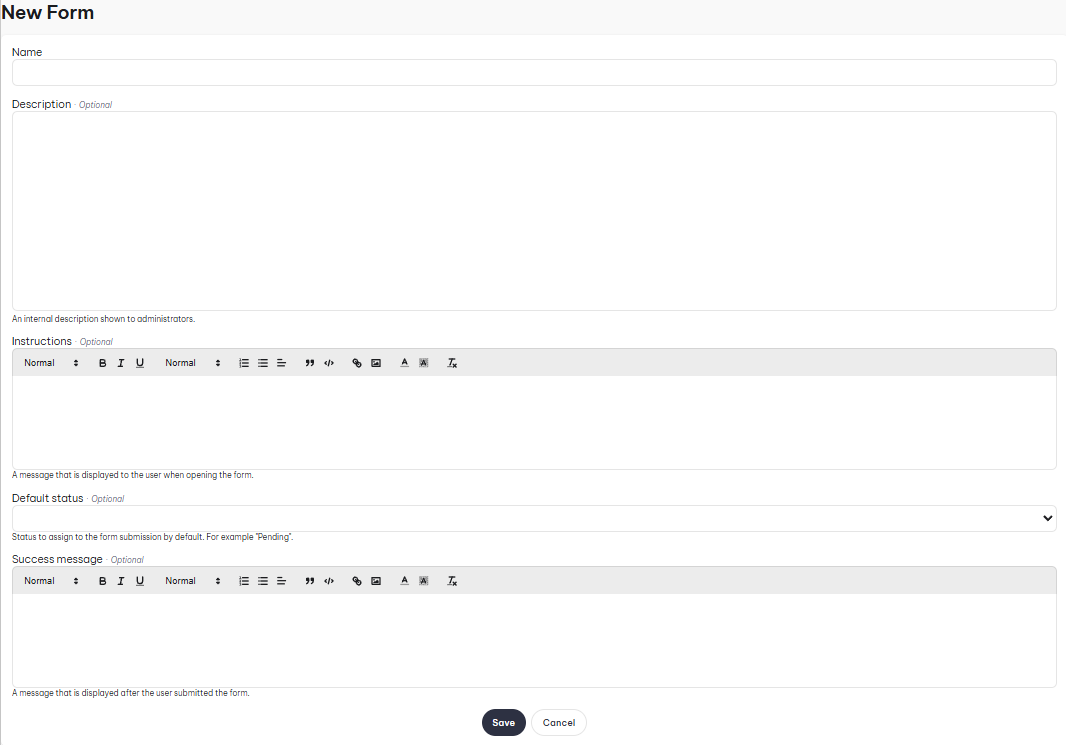
- Name: Name of the form.
- Description: Explain what the form is, only shown on the admin panel.
- Instructions: This is a message that is displayed to users when they open the form.
- Default status: The default status that gets assigned when someone submits the form, for example: "Pending".
- Success Message: A message that is shown to the user upon form submission.
Creating form fields
To create a form field, head over to Admin Panel > MILHQ > Organization > Forms, click on the in the form's options, then click on the + button.

- Label: Name of the field.
- Type: Type of field; such as checkbox, date, textbox.